Option 1: Check the Sim Card Itself
If you still have the SIM card inserted in your device or stored somewhere
- Remove the SIM card from your device.
- Look Closely, You’ll find Your ICCID printed on the SIM card holder
- It starts with 89852342022, followed by several digits

Option 2: Check from your Phone Settings
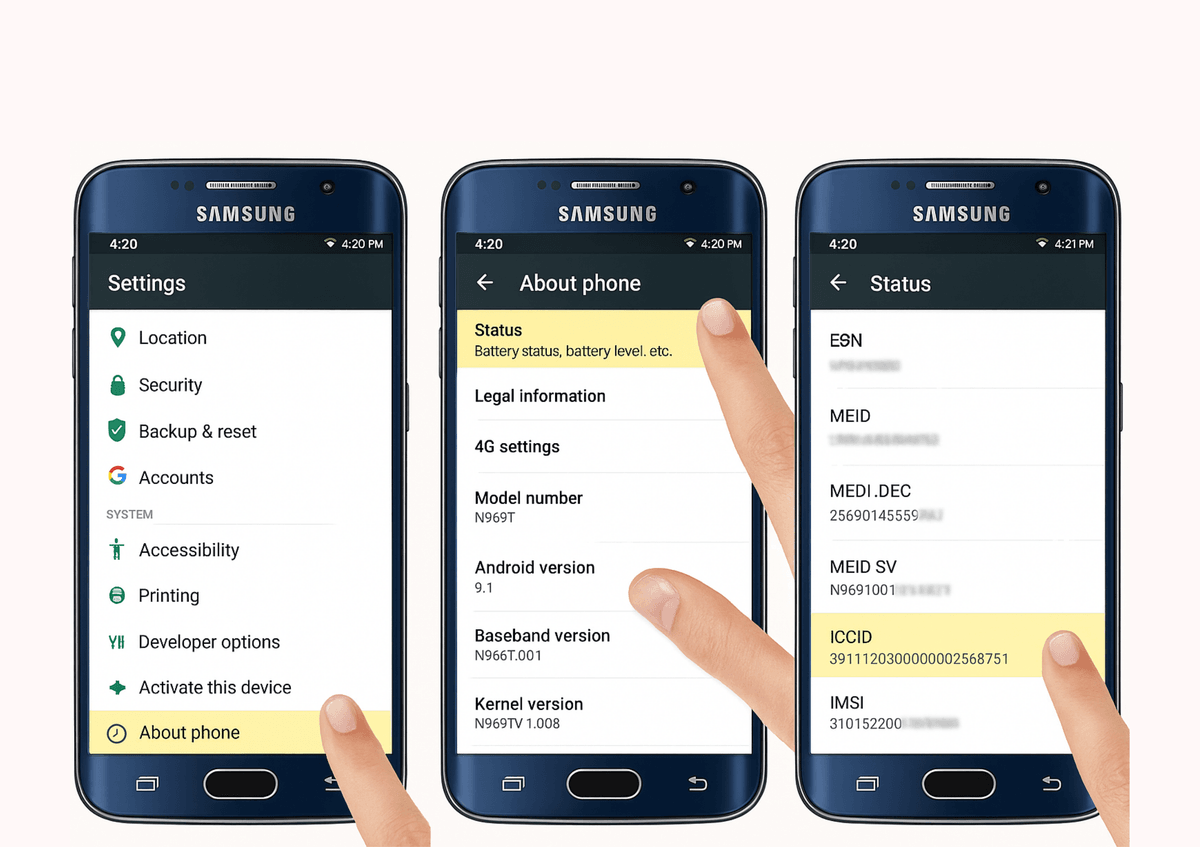
For Android User
- Open Settings
- Tap About phone or About device
- Status or Sim card status
- Look for ICCID or SIM card number
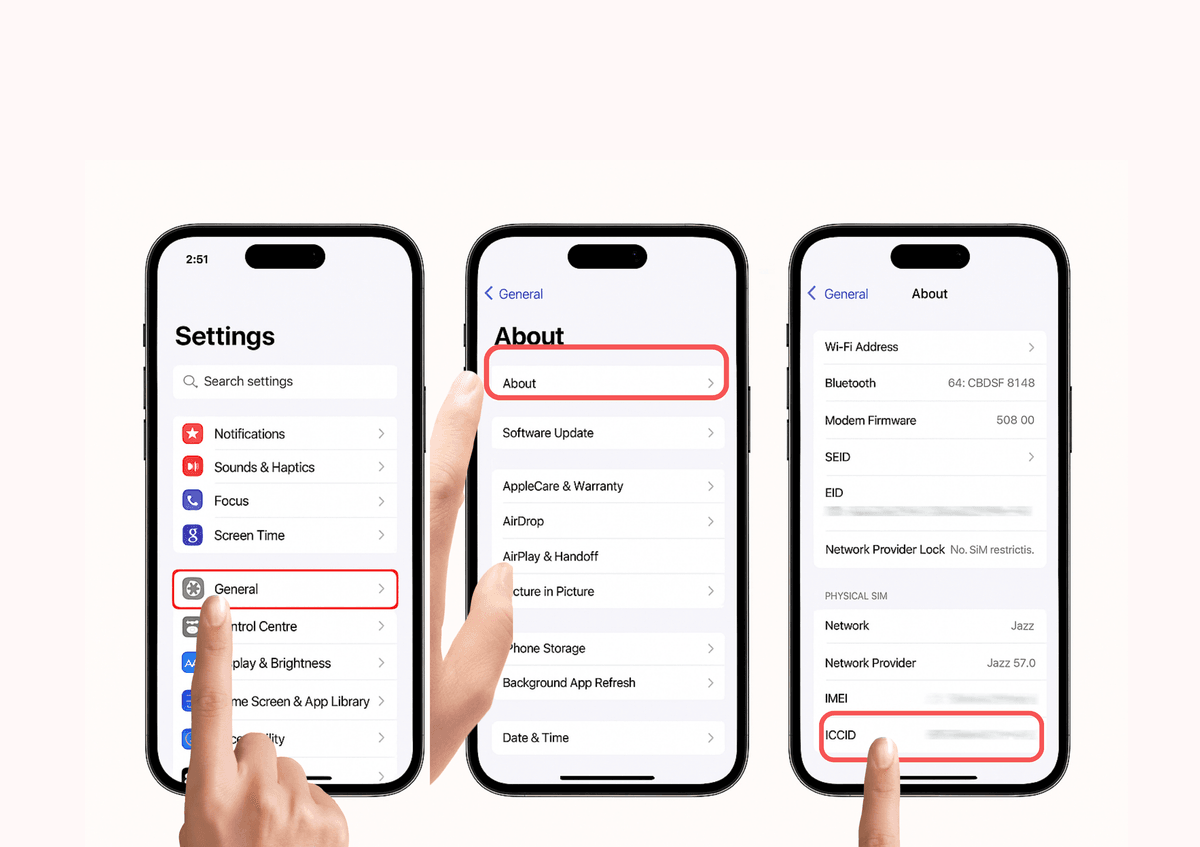
For iPhone Users
- Go to Settings
- Tap General → About
- Scroll down to ICCID